bublina
A downloadable audio controller for Windows
Bublina: Choose what you hear
Your PC doesn’t just make sound, it makes noise. Explosions from games, overlapping Discord calls, background music, browser ads... chaos.
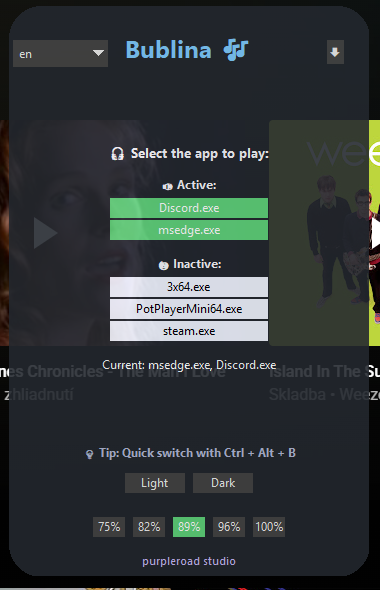
Bublina is a minimalist audio controller for Windows that gives you clarity. You pick up to two applications allowed to play sound, all others are muted instantly. Quiet. Smooth. Under your control.
Key Features
- Works in fullscreen games
- Dual audio selection — pick two apps to stay audible
- Shortcut toggle — show/hide with
Ctrl + Alt + B - No installation needed — portable
.exe - Light & dark mode
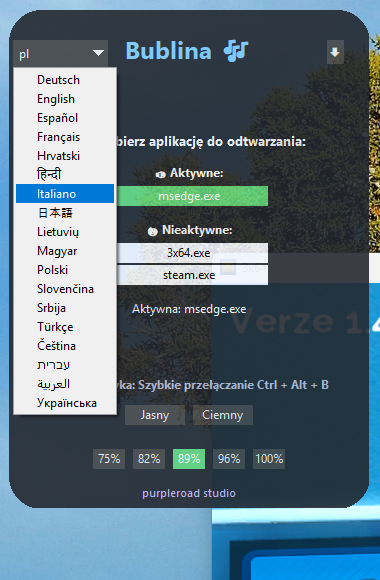
- 18 languages supported, including Slovak, Japanese, German, Spanish, Arabic
- Transparent bubble design — draggable, unobtrusive
- Tray minimization — remembers your setup every time
Who it’s for
- Gamers who want control over their audio environment
- Streamers juggling Discord, media players, and game audio
- Multitaskers who demand peace in their digital workspace
- Anyone who prefers one voice at a time, and silence for the rest
Download
Install instructions
Download the .exe file and run it.
No installation is required! Bublina works out of the box.
🧰 Requirements:
- Windows 10 or 11 (64-bit)
- No additional libraries or setup needed
💡 Tip: Use shortcut Ctrl + Alt + B to show or hide the bubble.
You can also minimize the app to tray using the arrow in the top right corner.
All your settings (selected apps, theme, language, transparency) are saved automatically.
Leave a comment
Log in with itch.io to leave a comment.